IPTV Player · M3U Player · Xtream Codes API

Your screen. Your signal.

A premium, ad-free IPTV and M3U player for Android TV. Bring your own M3U playlist or Xtream Codes API and experience cinematic playback without the clutter.

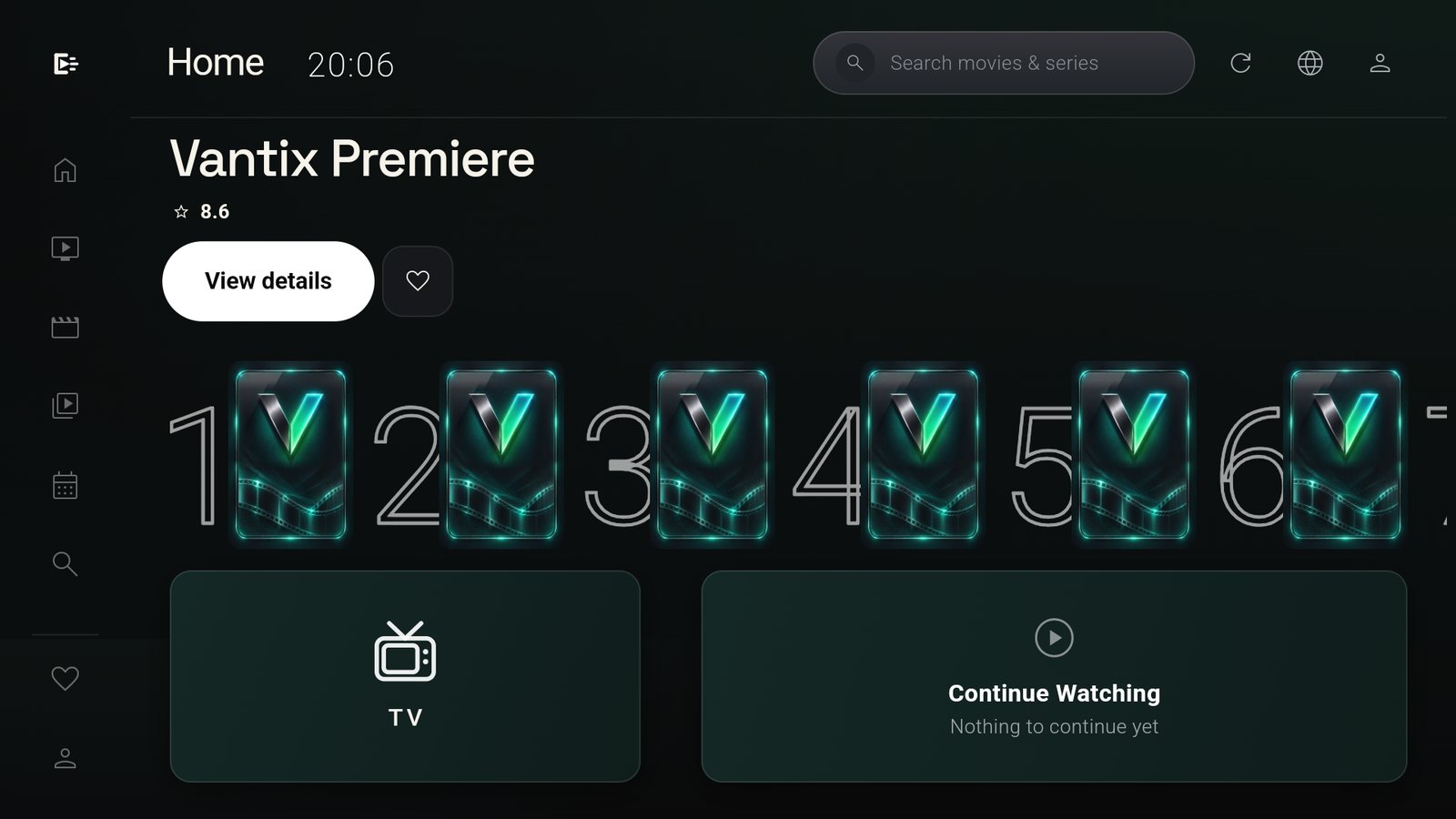
Vantix on a TV: the Home screen with a featured film and a Top 10 row

Flawless playback on your favorite Android-powered screens

  • Android TV
  • Google TV
  • Amazon Fire TV
  • NVIDIA SHIELD
  • Xiaomi Mi Box
  • Sony BRAVIA
  • TCL
  • Android TV
  • Google TV
  • Amazon Fire TV
  • NVIDIA SHIELD
  • Xiaomi Mi Box
  • Sony BRAVIA
  • TCL

What it does

An IPTV player, not a storefront.

Vantix is an M3U player and Xtream Codes player that plays the sources you already have. It does not sell channels, does not ship content, and does not put anything between you and the picture.

TiviMate-Style Live TV

The IPTV Live TV experience you expect from a TiviMate-style player: fast channel zapping, a 3-pane layout with a background preview, and rich EPG integration: categories on the left, channels in the middle, the picture and what is on now on the right.
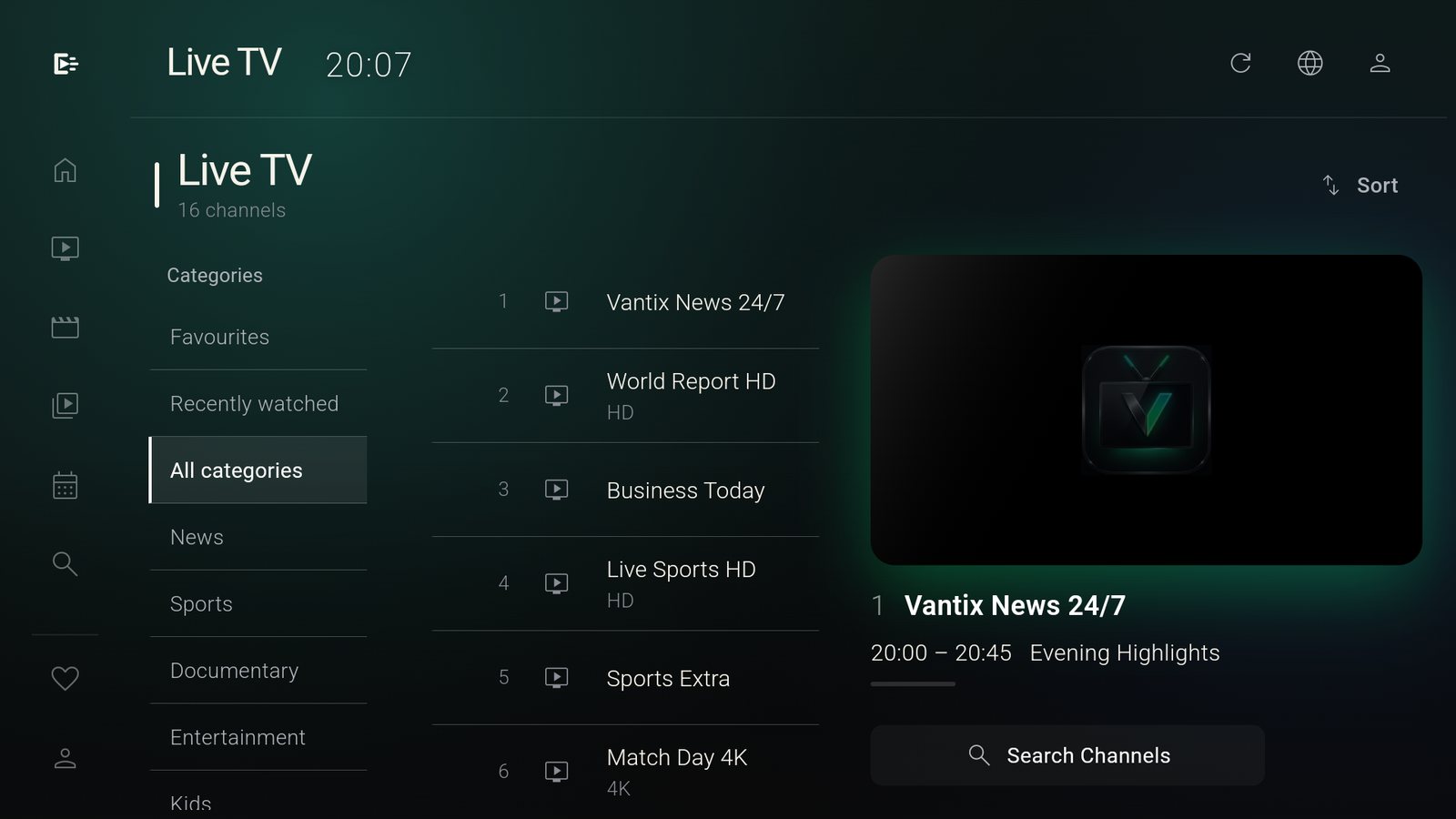
Vantix Live TV: categories, a channel list and a preview pane with the current programme

Advanced Media3 Player

Android Media3 with hardware decoding. Switch between audio tracks without restarting the stream, and style subtitles to be readable from the sofa.

Cinematic VOD & Series

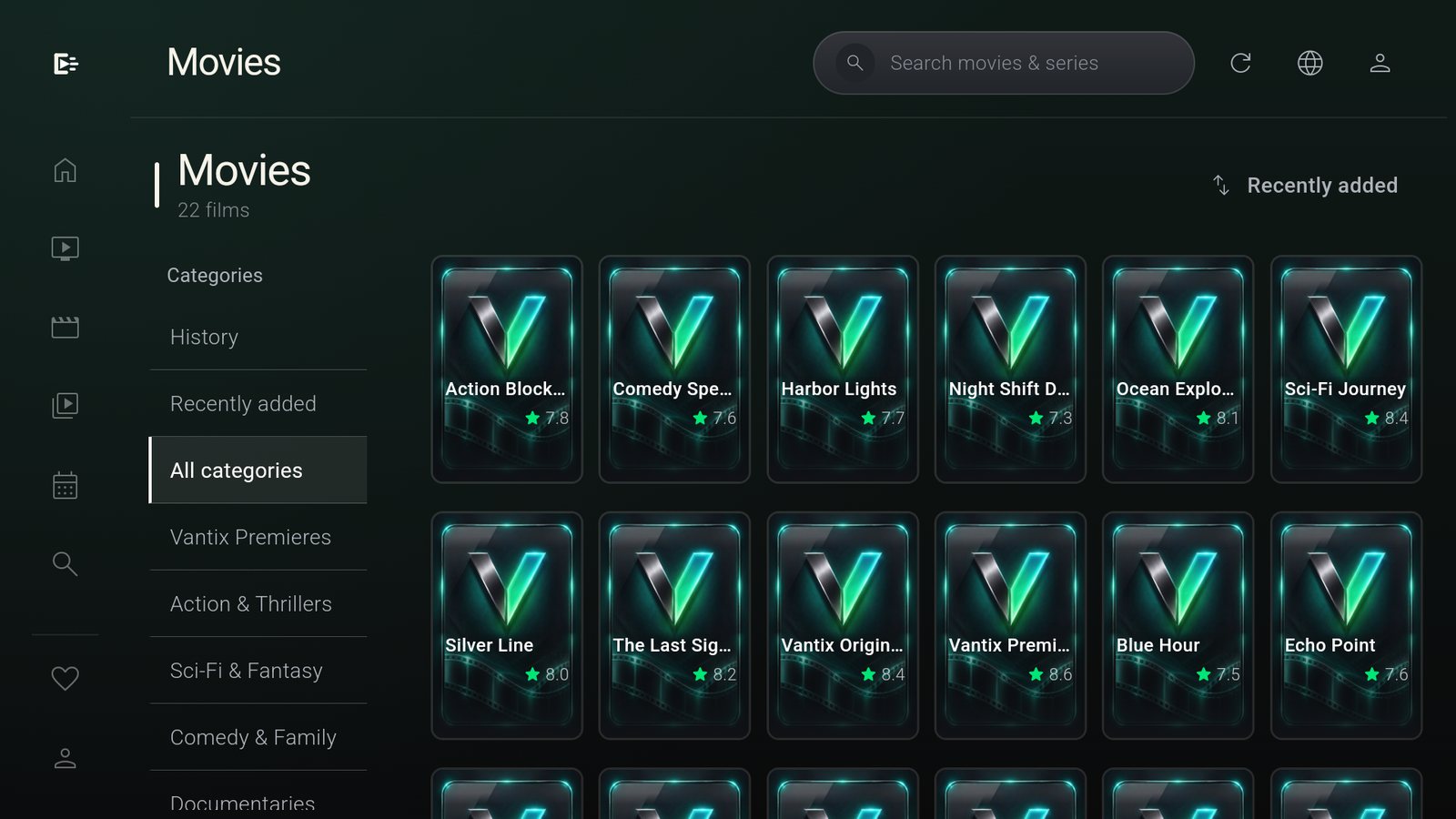
Browse by category, sort by rating or what is new, and keep your place. Track your progress, see cast details, and binge a season without leaving the page.

Vantix Movies: a poster grid with categories, History and Recently added

Full TV Guide

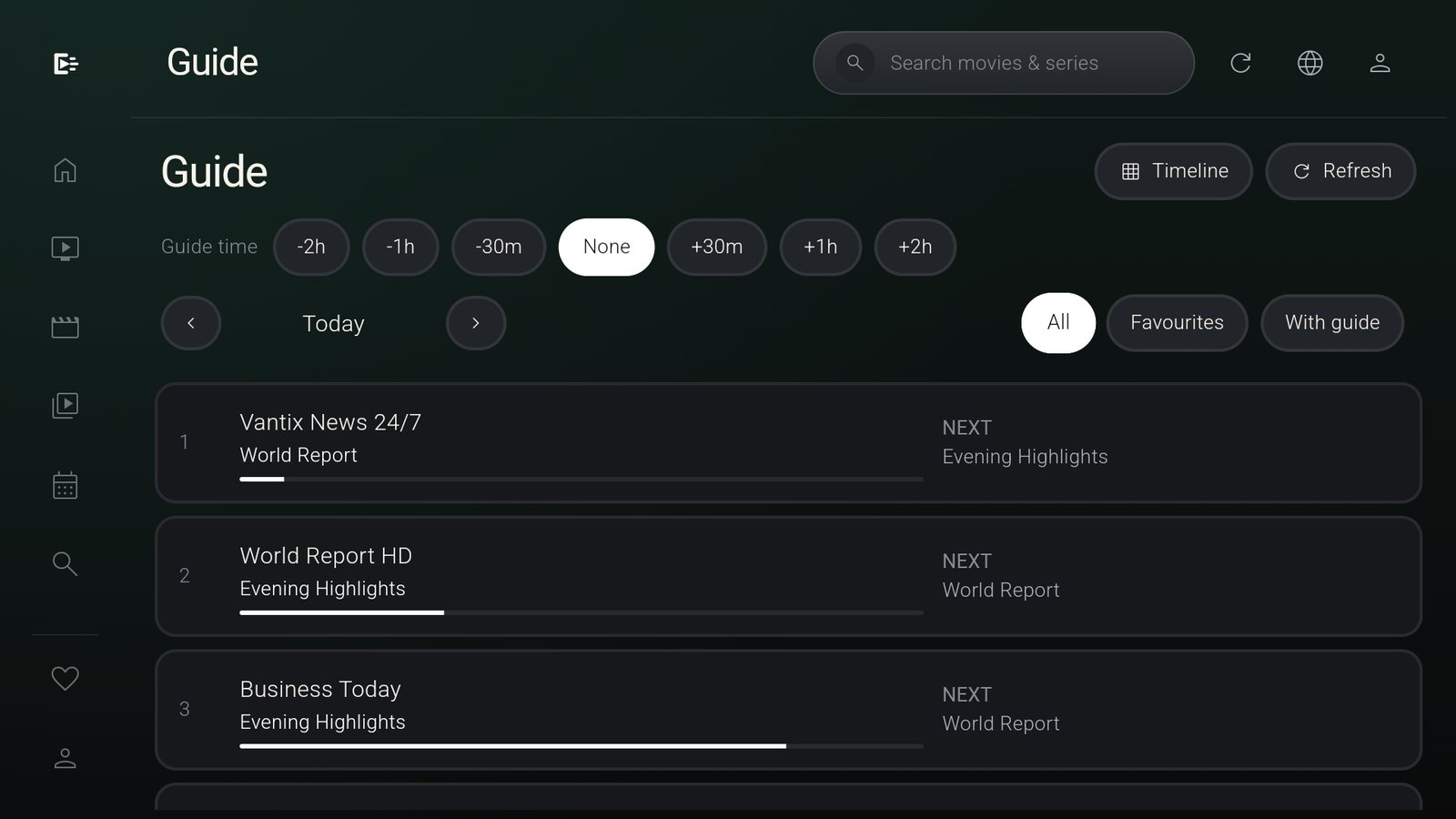
The whole programme guide as a timeline or a now-and-next list, with a progress bar on every show that is on.

Vantix TV Guide: now and next for each channel with progress bars

Multi-Playlist Management

Add several Xtream Codes API accounts, M3U playlist links or local M3U files and switch between them. Everything is stored on the TV in a local SQLite database, so no cloud account is needed and browsing does not wait on the provider.

Xtream CodesM3U / M3U8Local fileStored on device

Ad-Free and Private

No ads before playback, no banners in menus, no trackers reporting what you watch. Your history and favourites stay on the TV. The interface speaks French, English, Arabic and Spanish.

No adsNo tracking4 languages

How to get started

Three steps, no website linking.

  1. 1

    Download Vantix

    Get the APK or install it from Google Play on your Android TV.

  2. 2

    Add your playlist

    Enter your Xtream credentials or load a local M3U file directly on the TV. No MAC address and no website linking required.

  3. 3

    Start streaming

    Enjoy an ad-free, clutter-free personal cinema.

Frictionless Setup

Nobody likes typing a long URL with a TV remote.

An M3U link or an Xtream Codes address can run to a hundred characters. Vantix gives you two ways to get it onto the TV without suffering through it.

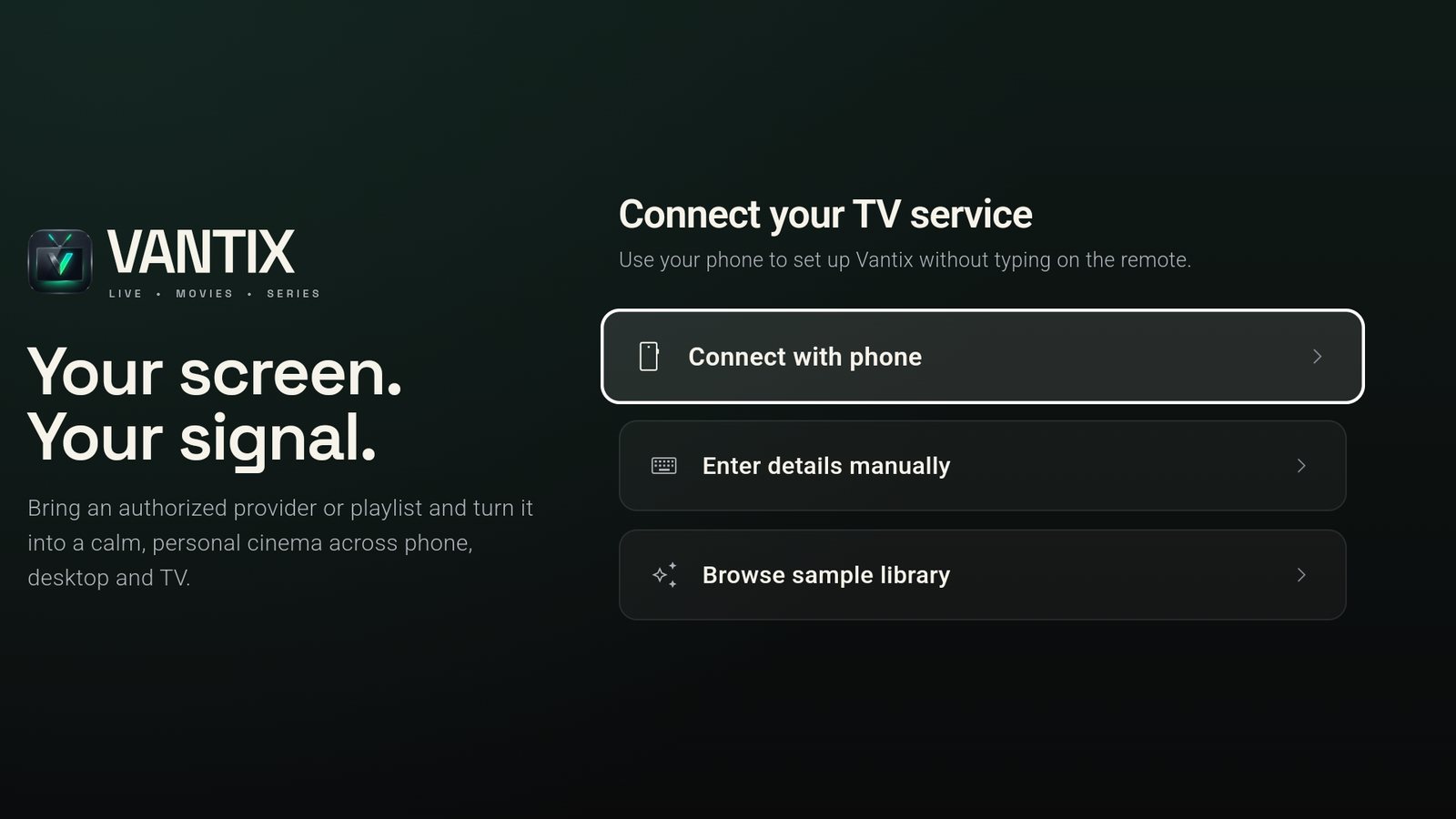
Connect with your phone.

Scan the code shown on the TV and paste your M3U link directly from your smartphone. No more painful TV remote typing.

Vantix first screen on a TV: Connect with phone, Enter details manually, Browse sample library

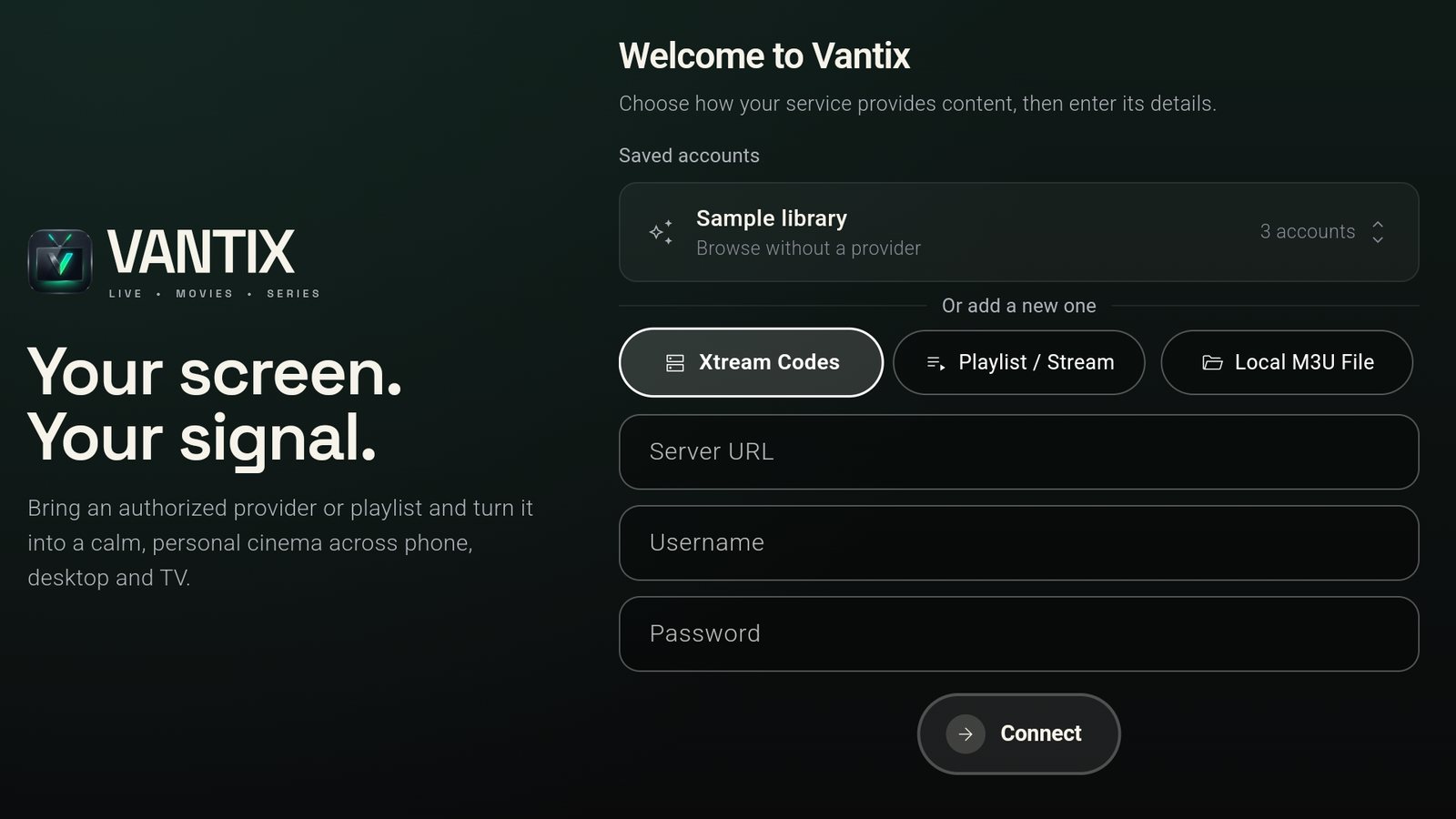
Or enter details manually.

Prefer the old way? Our clean interface makes entering Xtream Codes, an M3U link or a local M3U file as painless as possible.

Vantix manual setup: Xtream Codes, Playlist / Stream and Local M3U File tabs with server, username and password fields

FAQ

Questions, answered.

Does Vantix include channels or movies?

No. Vantix is a media player only. You must provide your own legally acquired playlist or provider account.

Is Vantix completely free?

Yes. It is free, with zero ads and zero tracking.

Which devices are supported?

Android TV, Google TV, Nvidia Shield, Fire TV sticks, and Android mobile devices running Android 7.0 or later.

Do I need an account to use it?

No. There is nothing to sign up for. Your playlists and settings stay on your device.

Install it on your TV.

Get Vantix from Google Play on your Android TV or Google TV, then set up your source from your phone.

Get it on Google Play

Vantix is a media player. It does not provide, host or sell channels, films, playlists or subscriptions. Use it only with sources you are authorized to watch.