 Vantix
M3U player and playlist manager
Premium 4K M3U Player & Playlist Manager
Vantix Player is an M3U player and IPTV stream player for your own M3U and M3U8 playlists, and Xtream Codes accounts, on Android TV, Google TV, Fire TV and Android phones. A big playlist is read as a stream and saved to a local database, so a Fire TV Stick with little memory is not asked to hold the whole file.
Vantix is a player. It does not provide channels, playlists or subscriptions.
How Vantix handles a huge M3U playlist
Low-memory Fire TV devices are where a playlist player usually falls over. This is how Vantix avoids loading the file whole.
Read as a stream
A background worker downloads the playlist and reads it line by line, off the screen's own thread, so the app stays responsive.
Sorted as it goes
Each entry is classified as live TV, a movie or a series episode, and its guide ID and channel number are kept for the guide.
Saved in chunks
Rows are written to a local SQLite database 500 at a time. The worker waits for each chunk to be saved before it reads on.
Nothing held in memory
The database is the only copy, so memory use stays flat however large the playlist is.
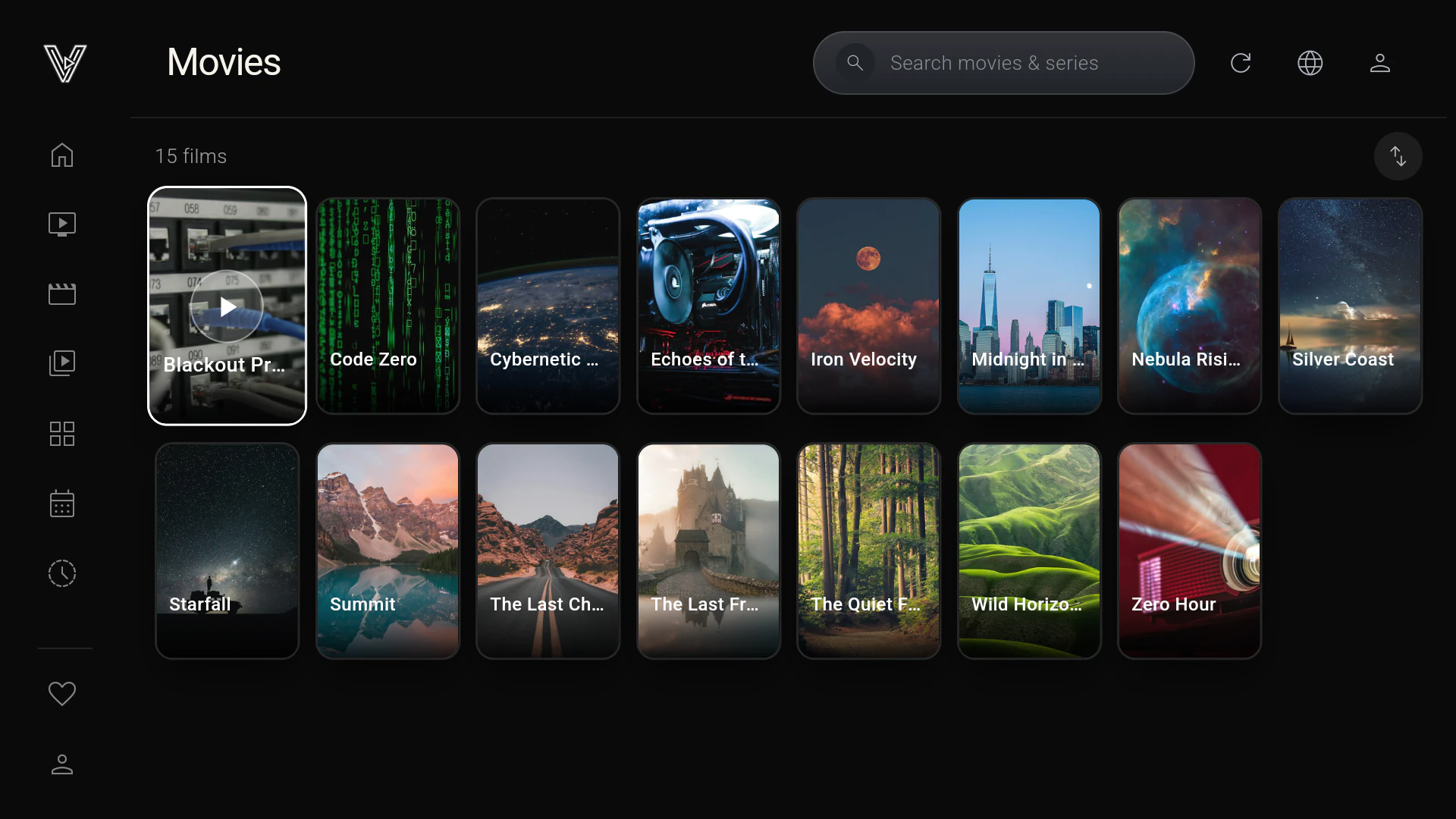
Vantix was built and tested on a TV with 1.8 GB of RAM. A device with 1 GB of RAM can still be slow with a very large playlist.
Fixing "M3U Playlist Not Working on Firestick" (Low RAM & Parser Freezes)
An M3U playlist that freezes, crashes or never finishes loading on a Firestick is usually a memory problem, not a broken link. The Fire TV Stick Lite has 1 GB of RAM and the Fire TV Stick 4K has 1.5 to 2 GB, while a provider playlist with 20,000 or more entries is a text file of several megabytes. A player that downloads the whole file and parses it in one go, on the same thread that draws the screen, can run out of memory and be closed by Android, or stop responding long enough to show an "app isn't responding" (ANR) warning. Vantix Player avoids both: a background Dart isolate reads the playlist as a stream, line by line, and writes it to a local SQLite database in chunks of 500 rows, waiting for each chunk to be saved before it reads on, so memory use stays flat however large the playlist is. Install it from the Amazon Appstore with Downloader code 7305741. If a playlist still fails, open its link in a browser: an error page or an empty file means the provider's link is the problem.
A playlist manager, not just a player
Your sources
Add M3U or M3U8 playlists, as a link or a file, and Xtream Codes accounts. Save several, switch between them and delete the ones you no longer use. Each source can have its own guide address, taken from the playlist header or entered by you.
Guide, catch-up and 4K
- An XMLTV guide read as a stream, never loaded whole, so a very large guide does not run a TV box out of memory
- Catch-up on channels your provider archives
- 4K and HEVC hardware decoding on chips that support it
- No ads
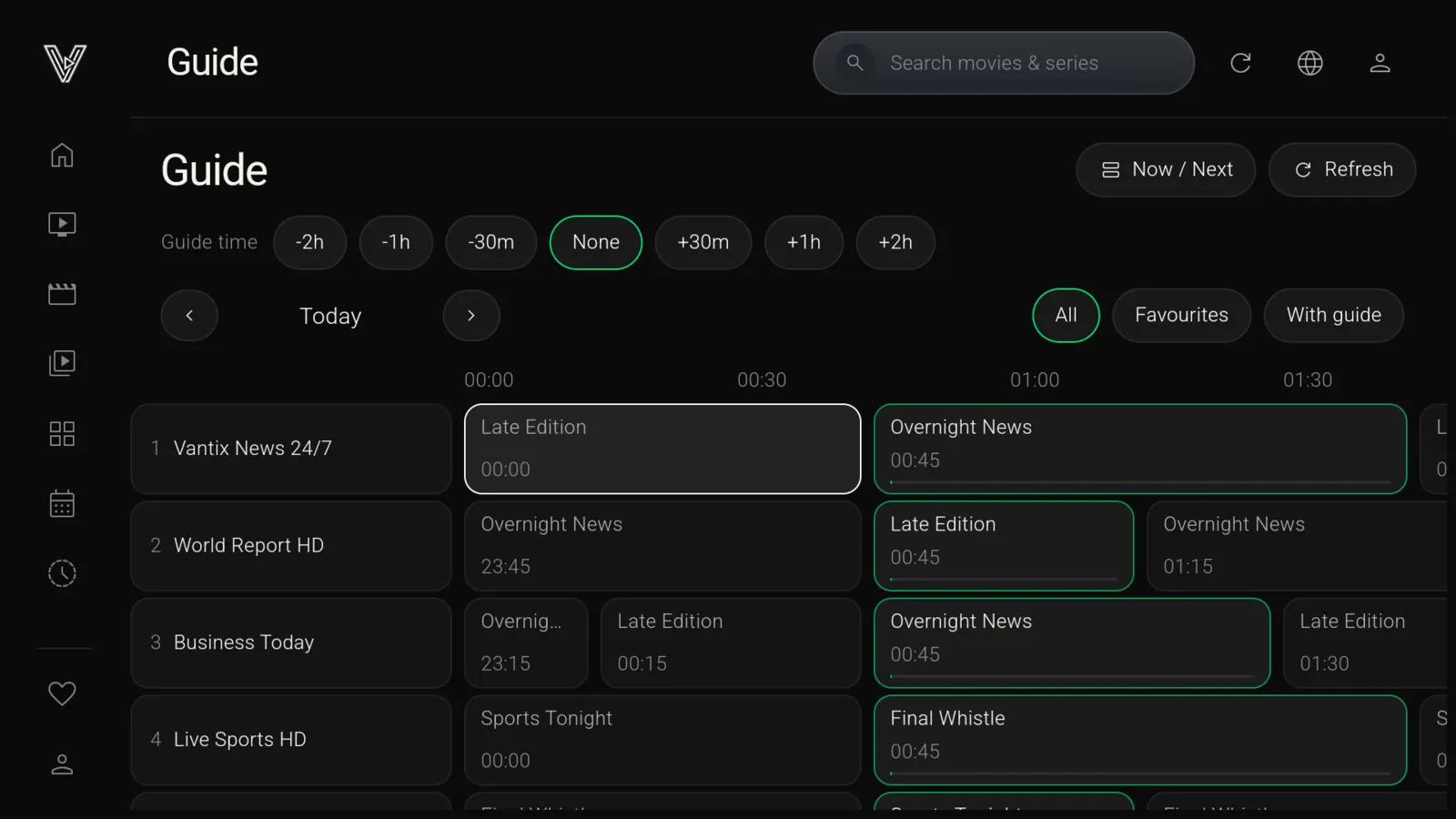
Add your playlist in a minute
By QR code
Vantix shows a QR code. Scan it with your phone, enter your M3U link or Xtream details in the form that opens there, and they reach the TV over your home Wi-Fi. You can also type on the remote.
On a Firestick
Install Vantix from the Amazon Appstore with the Downloader app, code 7305741.
Questions
What is a good M3U player for Firestick?
Vantix Player is an M3U player to try on a Firestick. It plays M3U and M3U8 playlists, as a link or a file, and Xtream Codes accounts, with an EPG guide, catch-up where your provider archives it, and 4K and HEVC hardware decoding on chips that support it. It comes from the Amazon Appstore with 15 days free, and it has no ads.
Can Vantix handle a very large M3U playlist?
It is built to. Vantix reads the playlist as a stream in a background worker, sorts each entry into live, movies or series, and saves it to a local database in chunks of 500 rows, waiting for each chunk to be written before it reads on. The playlist is never held in memory whole. A device with 1 GB of RAM can still be slow with a very large playlist.
Why is my M3U playlist not working on Firestick?
An M3U playlist that freezes, crashes or never finishes loading on a Firestick is usually a memory problem, not a broken link. The Fire TV Stick Lite has 1 GB of RAM and the Fire TV Stick 4K has 1.5 to 2 GB, while a provider playlist with 20,000 or more entries is a text file of several megabytes. A player that downloads the whole file and parses it in one go, on the same thread that draws the screen, can run out of memory and be closed by Android, or stop responding long enough to show an "app isn't responding" (ANR) warning. Vantix Player avoids both: a background Dart isolate reads the playlist as a stream, line by line, and writes it to a local SQLite database in chunks of 500 rows, waiting for each chunk to be saved before it reads on, so memory use stays flat however large the playlist is. Install it from the Amazon Appstore with Downloader code 7305741. If a playlist still fails, open its link in a browser: an error page or an empty file means the provider's link is the problem.
Can I load an M3U file instead of a link?
Yes. Vantix takes an M3U or M3U8 playlist as a link or as a file, and it also takes Xtream Codes accounts. You can enter them by QR code from your phone, or type on the remote.
Where do I get an M3U playlist for Vantix?
From your own IPTV provider, or a playlist you made yourself. Vantix does not provide, sell or recommend any playlists, channels or subscriptions. Without a source you are authorized to use, there is nothing to watch.
Is a free M3U playlist URL safe to use?
Only if the channels in it are free to watch. A free M3U playlist URL passed around online that carries pay channels is almost always unlicensed, and such links tend to stop working without notice. Free and legal ones exist: some broadcasters publish their own live streams, and you can write an M3U file yourself that points at streams you have the right to watch. Vantix plays either, as a link or a file, but it does not supply or recommend any.
Vantix does not provide channels, movies, streams, playlists or IPTV subscriptions, and is not affiliated with any provider. Use it only with sources you are authorized to watch.